Friday, February 29, 2008
Go TED
I've been watching the TED podcasts on my iPod touch and they alone are worth the price of admission. To get an idea of what they can offer take a look at Isabel Allende's talk. It's brilliant, as much of the other TED talks. Don't miss them. Even if you don't look at them on an iPod touch.

Monday, February 4, 2008
Problem with external USB drive and ripped DVDs in Vista
Oh, did you think that it was that easy to get your DVD collection in Vista Media Center? Think again. After having ripped all the kids' movies on my desktop computer (its much easier to have a proper keyboard and mouse - compared to the HTPC keyboard that often misses characters when I type) I plugged my external USB drive to the HTPC.
I couldn't quite remember how to add a new folder to the DVD directory in Vista MCE, but soon found the proper instructions (its not Settings/DVD, but rather DVD library/[Info button on remote]/Add movies). All the movies were then shown in Vista MCE with their corrects covers. I had placed folder.jpg files in all directories with the corresponding cover art. Beautiful.
But when I tried to show the kids how to play a movie, I got an error message saying that the file format wasn't supported. Strange. I tried playing the .ifo-file in media player classic (not a MS-product). Worked like a charm.
My daughter said that this was far too many steps for her to remember.
Tried Media Center again. No dice. Restarted Media Center. Nothing. Then I tried Media Player 11 (MS) and I couldn't open the file. This time I got an error message saying that the DVD had the wrong region. Strange. I didn't know that files on my HD had a region code.
Since I already had some DVD folders on my C: drive I copied one to my external USB drive after which I no longer could play the movie. Interesting. Now I copied another movie from my external USB drive to my C: drive and voila! The movie played as it should through both Media Player 11 and Media Center. Great. Isn't DRM the best?*
Does this mean my shining new external drive is useless?
One option would be to encode all my DVD folders into Divx or something. At least I wouldn't have any problems with regional codes. But then my kids can't use the shiny DVD library interface in MCE to play movies. Which was one of the main drivers for this project to begin with.
Enter Google. I found a couple of interesting pieces of information, many relating to issues with permissions, how deep the folders where nested and spaces in folder names. I tried everything and nothing worked. During the process also noticed that if you have tried to open a file in Media Player 11 and then move that folder with Windows Explorer you get an error saying you don't have proper permissions. You do. You just need to quit Media Player before moving the folder.
Anyway, after some more searching I finally found this particular comment from jmtasu on Matt Goyer's blog:
More searching revealed the exact steps to mount the external drive as a folder and, to borrow Steve Jobs's catch phrase, Boom! Everything is up and running and it is beautiful. Permissions, folder nestedness or spaces do not matter.
That's two hours of my life I never get back. Seriously considering a Mac for my next computer.
But now, at last, all the kids' movies are available through the DVD library in Vista MCE. I'll add my own movies when needed.
*Regional coding is not DRM per se, but its in the same ballpark. I doubt a free operating system would have the problems described in this post.
I couldn't quite remember how to add a new folder to the DVD directory in Vista MCE, but soon found the proper instructions (its not Settings/DVD, but rather DVD library/[Info button on remote]/Add movies). All the movies were then shown in Vista MCE with their corrects covers. I had placed folder.jpg files in all directories with the corresponding cover art. Beautiful.
But when I tried to show the kids how to play a movie, I got an error message saying that the file format wasn't supported. Strange. I tried playing the .ifo-file in media player classic (not a MS-product). Worked like a charm.
My daughter said that this was far too many steps for her to remember.
Tried Media Center again. No dice. Restarted Media Center. Nothing. Then I tried Media Player 11 (MS) and I couldn't open the file. This time I got an error message saying that the DVD had the wrong region. Strange. I didn't know that files on my HD had a region code.
Since I already had some DVD folders on my C: drive I copied one to my external USB drive after which I no longer could play the movie. Interesting. Now I copied another movie from my external USB drive to my C: drive and voila! The movie played as it should through both Media Player 11 and Media Center. Great. Isn't DRM the best?*
Does this mean my shining new external drive is useless?
One option would be to encode all my DVD folders into Divx or something. At least I wouldn't have any problems with regional codes. But then my kids can't use the shiny DVD library interface in MCE to play movies. Which was one of the main drivers for this project to begin with.
Enter Google. I found a couple of interesting pieces of information, many relating to issues with permissions, how deep the folders where nested and spaces in folder names. I tried everything and nothing worked. During the process also noticed that if you have tried to open a file in Media Player 11 and then move that folder with Windows Explorer you get an error saying you don't have proper permissions. You do. You just need to quit Media Player before moving the folder.
Anyway, after some more searching I finally found this particular comment from jmtasu on Matt Goyer's blog:
well looks like it’s a bug in Vista, it can’t read DVD’s off of USB Hard Drives… If you mount the drive into a folder, it overlooks this and you no longer get the error.
More searching revealed the exact steps to mount the external drive as a folder and, to borrow Steve Jobs's catch phrase, Boom! Everything is up and running and it is beautiful. Permissions, folder nestedness or spaces do not matter.
That's two hours of my life I never get back. Seriously considering a Mac for my next computer.
But now, at last, all the kids' movies are available through the DVD library in Vista MCE. I'll add my own movies when needed.
*Regional coding is not DRM per se, but its in the same ballpark. I doubt a free operating system would have the problems described in this post.
Wednesday, January 30, 2008
Time to stop using DVD:s
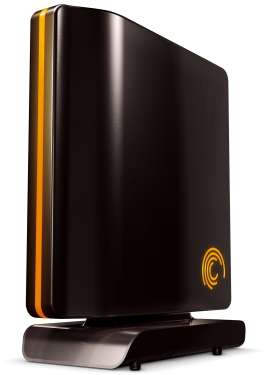 Since I already have my music on a computer using CD:s pretty much only as a way to purchase DRM free digital music and for backup purposes I've been thinking about doing the same for video. When we couldn't watch a DVD the other day because of a faulty disc I decided that it was time to take the plunge.
The price and sizes of hard disks have been somewhat prohibitive before, but now a 500G Seagate FreeAgent USB drive was only 950 SEK (~150 USD). I can store about 100 DVD:s for a cost of 10 SEK per DVD. The only thing that's left now is the tedious process of ripping
I'm using the free DVDFab HD decrypter to rip the entire DVD, and then DVD Shrink to remove all unnecessary stuff (extra material, foreign language tracks, FBI warnings, etc.). In the end I have a ripped copy that is instantaneously available, without annoying ads and warnings. As an added bonus I don't need AnyDVD to slow down my DVD drive in order to keep it quiet.
An introduced inconvenience is that the first time I want to watch a movie I first need to rip it and wait 30 minutes for the process to finish before I can watch it. But for me its definitely worth it.
On a side note I got a 250 GB MyBook exactly a year ago for 50 SEK more, proving Kryder right.
Saturday, January 26, 2008
Streaming music to the iPod touch, part 2
As I just told you I was looking at different solutions for streaming music to the iPod touch. Now I've tried out webot and simplifymedia and unfortunately none meets my requirements. Webot felt slow and sluggish, and I don't like that you stream via a server on the internet. Simplify's UI was utter crap - you were only shown an alphatebized list of your songs, which is totally useless when you have a large library.
What now? I'm still hoping that slimserver will be the method in the future, but for now I've installed apache on my machine to serve up my music. I had some problems with my local firewall, but once I got around that everything is working smoothly. I will probably try to add Apache::MP3 later to get a better way of navigating my files (demo), but I have my music collection in pretty good order so just navigating the directory structure is good enough.
I haven't bothered to make a separate post about the latest Apple announcments, mostly because I was underwhelmed by the Macbook Air, unimpressed with Apple TV 2.0, and irritated about paying $20 for a couple of iPod touch applications that you get for free if you buy the touch now.
What now? I'm still hoping that slimserver will be the method in the future, but for now I've installed apache on my machine to serve up my music. I had some problems with my local firewall, but once I got around that everything is working smoothly. I will probably try to add Apache::MP3 later to get a better way of navigating my files (demo), but I have my music collection in pretty good order so just navigating the directory structure is good enough.
I haven't bothered to make a separate post about the latest Apple announcments, mostly because I was underwhelmed by the Macbook Air, unimpressed with Apple TV 2.0, and irritated about paying $20 for a couple of iPod touch applications that you get for free if you buy the touch now.
Monday, January 7, 2008
Streaming music to the iPod touch
I'm still looking for a way to stream music to my iPod touch. The contenders are:
My main choice would be slimserver since I already have that up and running on my computer for the SqueezeBox. I've tried orb and was not impressed - it was very resource heavy and slowed my machine down to a crawl. Besides the stupid name, DOT.TUNES is not free.
Which leaves SimplifyMedia and weBot. From what I've read SimplifyMedia might be the way to go, but I'll have to try it out first. I got some orb vibes (i.e. slow and heavy web application) from the weBot screenshots and it seems to transcode music to an 128k stream, but it might be a good service. There's just something about having to sign in to a web site to access my music locally (my main use case is to access my music library on my computer from my iPod touch when I'm at home) that irks me.
I'll let you know if I find a solution I'm happy with.
- SimplifyMedia (found through touchtip)
- weBot (which I found through jkOnTheRun)
- orb
- DOT.TUNES
- SlimServer - if bug 6266 is fixed (feel free to vote if you have an account) - found at Oliver Bruchez's blog
My main choice would be slimserver since I already have that up and running on my computer for the SqueezeBox. I've tried orb and was not impressed - it was very resource heavy and slowed my machine down to a crawl. Besides the stupid name, DOT.TUNES is not free.
Which leaves SimplifyMedia and weBot. From what I've read SimplifyMedia might be the way to go, but I'll have to try it out first. I got some orb vibes (i.e. slow and heavy web application) from the weBot screenshots and it seems to transcode music to an 128k stream, but it might be a good service. There's just something about having to sign in to a web site to access my music locally (my main use case is to access my music library on my computer from my iPod touch when I'm at home) that irks me.
I'll let you know if I find a solution I'm happy with.
iPod touch and SqueezeBox
As promised here is an update on using iPeng for controlling the SqueezeBox: its excellent! It was kind of iffy to scroll on some pages (you needed to use two fingers) and I couldn't find search functionality but other than that it was great. Apparently iPeng 0.2 has added search support so things are looking even better (haven't tried it yet but will soon).
If you have a Squeezebox and an iPod touch/iPhone its a must. There's no reason to wait, go ahead and install it now.
If you have a Squeezebox and an iPod touch/iPhone its a must. There's no reason to wait, go ahead and install it now.
Sunday, December 16, 2007
Music Library Browsing with iPhone / iPod Touch
This seems like the perfect thing for my iPod Touch. I've already got the Slimserver and Squeezebox set up. Guess I need to update to the Slimserver 7 beta (apparently called Squeeze Center) to try this out. I'll let you know more when I've tried it out.
read more | digg story
read more | digg story
Subscribe to:
Posts (Atom)